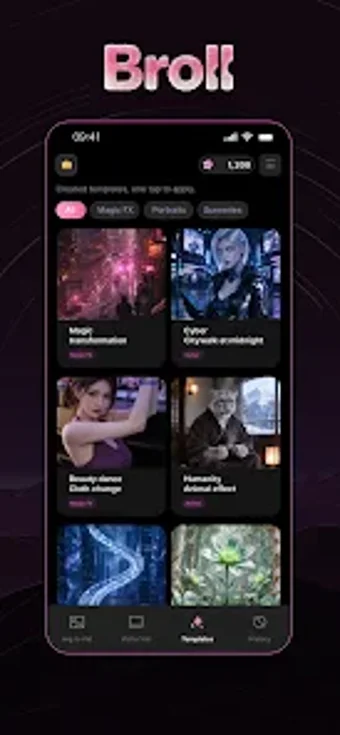
Turn photos into short B‑roll clips with AI-driven templates
Transforms still photos into short, animated B‑roll clips using AI templates and a simple Select-Upload-Generate flow. Developed by SHAKAYLA SUPPLY LLC for Android devices, Broll AI targets social creators and hobbyists who want quick, platform-ready video from existing galleries. The app offers template-driven motion, direct gallery access, and short-form export tailored for TikTok, Instagram Reels, and Shorts; it emphasizes fast prototyping of different visual styles without manual keyframing.
What does Broll do and how does it fit a creator workflow?
Broll converts static images into short video scenes by applying AI-powered photo animation and template-driven motion. The workflow is concrete: Select a photo from the device gallery, Upload it to the template, and Generate the clip. Templates define style and motion, so creators can test several looks on a single image without using a timeline-based editor.
Does the app demand heavy device resources during processing?
Broll runs on modern Android hardware and requests gallery access to process images, which indicates image handling on-device or via a short upload step. The source material reports mobile optimization for AI-intensive visuals; expect processing that depends on device capability. The app targets short-form outputs rather than long renders, which reduces per-project compute compared with full-length video editors.
Is Broll safe and simple enough for non-technical users?
The developer positions the tool around zero-editing friction by automating animation and avoiding manual keyframing, so non-technical users can generate B-roll from their photos. The app integrates directly with the gallery, requiring standard permissions only. The developer's emphasis on direct AI workflows suggests a privacy-aware approach rather than ad-driven data routing.
Who should use Broll and what to watch for
Broll suits social creators and hobbyists who want quick B‑roll clips from existing photos, not users who need full timeline editing or frame-accurate control. Try different templates on one image to compare styles before exporting. Recommended.